
Thanks to a statewide effort, emissions in Florida continue to decrease and are now the lowest they have been on record. The state of Florida has one of the best outdoor air quality monitoring networks in the country, enabling the Florida Department of Environmental Protection to provide accurate and timely data to the state’s residents and visitors.
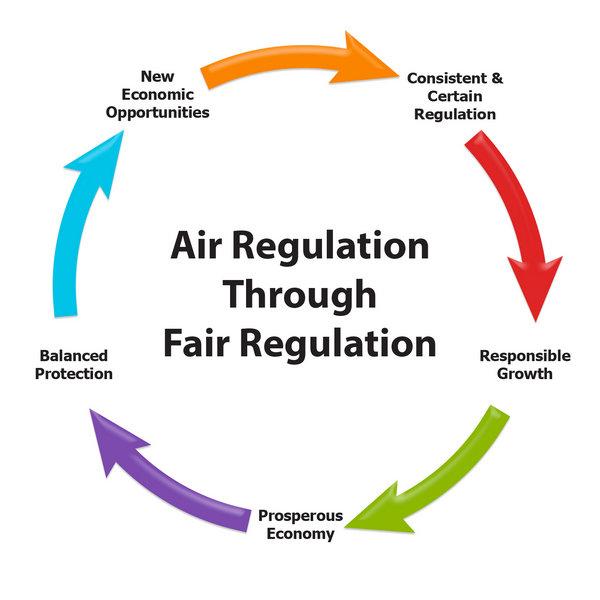
The Division of Air Resource Management is charged with the protection and management of Florida’s air resource, including air quality monitoring, permitting, ensuring compliance of emission sources and implementing the Siting Acts.
Through a variety of services for its customers — the public and industry — the division manages Florida’s air resource fairly, consistently and efficiently, while implementing state and federal requirements and enabling the economic development of the state. The division provides these services through its Office of Business Planning, Office of Air Monitoring and Office of Permitting and Compliance.
The division’s Siting Coordination Office implements Florida’s Siting Acts, which establish procedures for licensing the construction and operation of power plants, transmission lines and natural gas pipelines.
For complaints regarding permitted facilities, odor, dust, smoke or asbestos, please contact a DEP district office or air program in your area.
Visit the Clean Air Florida for air facts, educator resources, videos and other information resources.

The Office of Air Monitoring oversees air monitoring operations across the state of Florida and assesses the air quality for over 90 percent of Florida’s 21 million citizens.

The Office of Business Planning oversees all business management functions necessary to operate the division plus various activities required by the Federal Clean Air Act.

The director's office oversees all division functions, including air quality monitoring, permitting and ensuring compliance of emission sources.
The Permit Review Section and the Compliance Assurance Section coordinates statewide regulatory activities among the State's district air programs, local air programs and the U.S. Environmental...
 Information about the requirements and process for submitting air construction permits.
Information about the requirements and processes for submitting air operation permits.
Modern day businesses employ an assortment of equipment and processes to create a wide variety of commercial products. As such, it is important to plan not only for water demands and waste disposal, but air pollution discharges as well. This document offers guidance for determining if your business needs an air permit.
Information about the requirements and process for submitting air construction permits.
Information about the requirements and processes for submitting air operation permits.
Modern day businesses employ an assortment of equipment and processes to create a wide variety of commercial products. As such, it is important to plan not only for water demands and waste disposal, but air pollution discharges as well. This document offers guidance for determining if your business needs an air permit.
Compliance Calendar for Perchloroethylene Dry Cleaners
2024 Compliance Calendar for Florida Perchloroethylene Dry CleanersInterested in subscribing to DEP newsletters or receiving DEP updates through email?
Sign UpThe Florida Department of Environmental Protection is the state’s lead agency for environmental management and stewardship – protecting our air, water and land. The vision of the Florida Department of Environmental Protection is to create strong community partnerships, safeguard Florida’s natural resources and enhance its ecosystems.
Learn More